Get personalized tech and appliance care recommendations for your home. Take our 2-minute quiz
Top 5 things to look for in a smart home hub
When you're setting up your smart home with devices like a smart TV and smart plugs, you'll want to make sure to connect them with the best smart home hub. But how do you know which hub is right for you? You're in the right place. At Asurion, we don't just fix and protect your tech, we teach you about the devices that run your world—from smart lights to security cameras. Here's our guide to the best smart home hubs.
What's a smart home hub?
A smart home hub is the nerve center that connects and communicates with your smart home gadgets over Wi-Fi or other standards, like Zigbee®, Z-Wave®, or Bluetooth®.
With a smart hub, you can use your voice or an app to tell your connected devices to work together. For example, when you secure your smart lock, your smart hub can automatically turn off your smart lights and lower your smart thermostat. How cool is that?
5 things to consider when choosing a smart home hub
There are many smart home hubs on the market, and they come in a variety of shapes and sizes, from the tiny Echo Dot® to the full-screen Google Nest Hub Max™.
Here are a few questions to ask when researching which model is right for you:
Is it compatible with other devices?
The best smart home is equipped with gadgets that work together, and that includes your smart home hub. An easy solution is to make sure the hub you pick is compatible with your smart home gadgets, such as Google Home® devices and Alexa-enabled devices.
Check the smart hub manufacturer's website before you buy for a list of devices it supports.
If your devices aren't from the same smart home ecosystem, like Amazon Alexa™, Apple Home®, Google Home, or Samsung® SmartThings®, you may be able to connect them with Matter™, a standard for connecting smart home devices from different platforms. Check out our guide to Matter to learn more.
Bought it? Protect it.
Get coverage for life's unexpected moments. Future you will thank you.
Look for a smart home hub that's simple to set up—think plug and play—and easy to use. Also, consider getting a device with a status light indicator, like an Aeotec® smart hub or an Echo Dot, so you'll know when it's connected or if there are any issues.
Does it have a voice assistant?
If your smart hub has a voice assistant, like Amazon Alexa, Google Assistant, or Siri® from Apple®, you can use voice commands to do all kinds of things around your smart home: Useful commands include “Alexa, tell my iRobot® to vacuum the living room” and “Hey Google, turn on the outside lights.”
How much does it cost?
The best smart home hub for you isn't necessarily the most expensive one. Prices vary, but you can buy a hub with all the basic features, like an Aqara® Hub M2 or one of Amazon's Echo devices, for under $100.
Want your smart home hub to do more? You might consider ones with more advanced features, like the Brilliant All-in-One Smart Home Control(starts at about $350), which features a touchscreen wall panel hub, a built-in motion sensor, and Sonos® speakers.
Does it support multiple profiles?
Want family members or guests to use your hub too? Look for a smart home hub like the Google Nest Hub or the Apple HomePod mini that lets you use the app to invite other people to set up their own accounts and control devices from your hub.
What are the best smart home hubs?
So, which is the best smart home hub for you? It depends on your budget, your needs, and which smart devices you have in your home. Here are a few of our favorites:
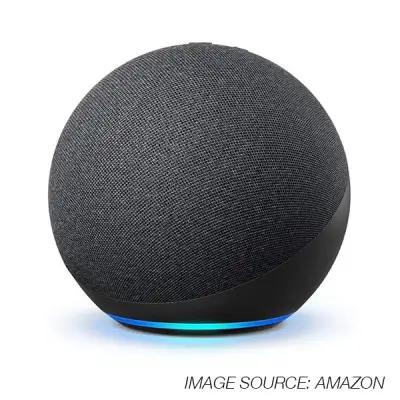
Amazon Echo (4th Generation)
Comes with Amazon Alexa
Compatible with many smart devices and appliances
Easy to set up
Low cost ($100 or less)
Best feature: great speaker
Aeotec Smart Home Hub
Works with Samsung SmartThings, Google Assistant, and Amazon Alexa
Supports 5,000 devices from different brands
Easy to set up
Reasonable price ($150 or less)
Best feature: multiple connectivity options, including Z-Wave, Bluetooth, Zigbee, and Wi-Fi
Google Nest Hub (2nd Generation)
Comes with Google Assistant
Compatible with numerous smart devices, including Google Nest–branded products
Easy to set up
Low cost ($100 or less)
Best feature: doubles as a digital photo frame when not in use
Apple HomePod mini
Comes with Siri®
Compatible with Apple HomeKit devices
Easy to set up
Low cost ($100 or less)
Best feature: built-in Thread® networking technology
Your home relies on tech. Make sure it’s protected.
Don’t let breaks and malfunctions set you back. Explore protection plans that can help cover life's unexpected moments with live expert support and fast repairs designed to get you back up and running quickly. Find the care plan option right for your devices—and your budget.
The Asurion® trademarks and logos are the property of Asurion, LLC. All rights reserved. All other trademarks are the property of their respective owners. Asurion is not affiliated with, sponsored by, or endorsed by any of the respective owners of the other trademarks appearing herein.